
Recent Blog
Google Pay vs. Apple Pay in the Philippines: Compatible Banks, Cards and Devices in 2026
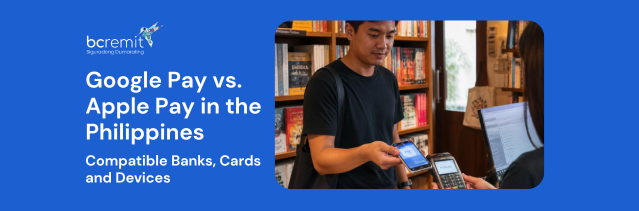
The mobile-payment landscape in the Philippines has changed significantly. Apple Pay officially launched in the country on August 4, 2026, joining Google Pay, which became available to Philippine users in November 2025. Eligible customers can now use supported locally issued cards for contactless purchases in stores, apps and online without taking out their physical card.
However, neither wallet works with every Philippine bank or card. Compatibility depends on the issuing bank, payment network, card type and device. Here is what Filipino consumers need to know.
Is Apple Pay now available in the Philippines?
Yes. Apple Pay is now officially available in the Philippines. Apple has launched a dedicated Philippine Apple Pay page and currently lists four participating banks:
- Chinabank
- GoTyme Bank
- Metrobank
- UnionBank
Apple Pay is built into compatible iPhones, Apple Watches, iPads and Macs, so users do not need to download a separate application. On an iPhone, customers can open the Wallet app, tap the plus symbol and follow the verification steps to add an eligible card.
Apple says the service can be used at contactless terminals and at participating online and in-app merchants. Its Philippine site lists businesses including Jollibee, Ayala Malls, Power Mac Center, Rustan’s, Zara and WalterMart Supermarket, as well as online platforms such as Foodpanda and Shopee.
| Bank | Mastercard support | Visa support |
| Metrobank | Credit and debit | Credit |
| UnionBank | Credit and debit | Credit and debit |
| Chinabank | Credit | Credit and debit |
| GoTyme Bank | – | Credit and debit |
This means that simply having an account with one of the participating banks does not guarantee that every card will work.
For example, Metrobank customers can add supported Mastercard credit and debit cards, but only eligible Visa credit cards are listed. GoTyme’s current support is limited to Visa credit and debit cards.
Cardholders should confirm compatibility with their bank, particularly for supplementary, corporate, prepaid or virtual cards. Apple also notes that some cards from participating issuers may not be supported even when the bank itself is listed.
Which Philippine cards work with Google Pay?
Google Pay currently has a wider Philippine issuer network. Google’s official compatibility page lists 13 banks and payment providers:
| Issuer or provider | Supported cards |
|---|---|
| BPI | Mastercard debit and credit; Visa credit |
| Chinabank | Mastercard credit; Visa credit and debit |
| EastWest Bank | Mastercard credit; Visa credit and debit |
| GCash | Mastercard debit |
| GoTyme Bank | Visa credit and debit |
| Maya Bank | Visa credit |
| Maya Philippines | Visa prepaid |
| PalawanPay | Prepaid cards |
| Philippine National Bank | Mastercard credit |
| RCBC | Mastercard and Visa credit |
| UnionBank | Visa cards |
| Wise Pilipinas | Visa prepaid |
| Zed Financial | Mastercard credit |
Google explains that the issuing bank ultimately decides which cards can be used. A listed bank may restrict particular card products, so customers whose card is rejected should contact the issuer directly.
Apple Pay vs Google Pay: Philippine card coverage
Based on the currently published compatibility lists, Google Pay supports cards from more Philippine issuers, while Apple Pay has launched with a smaller group of major banks. Google Pay’s larger list includes traditional banks, digital banks and prepaid-payment providers. Apple Pay’s launch coverage is narrower, but it includes credit and debit card support across both Visa and Mastercard.
The gap may close as more Philippine banks complete their Apple Pay integrations. Apple says it continues working with additional banks and card issuers, while its Philippine page describes the existing list as one that can expand over time.
Visa and Mastercard compatibility
Both wallets support Visa and Mastercard, but the number of participating issuers differs. For Apple Pay, all four launch banks support eligible Visa cards. Three (Metrobank, UnionBank and Chinabank) also support eligible Mastercard cards.
For Google Pay, nine listed Philippine providers support at least one Visa card product, while seven support at least one Mastercard product. PalawanPay is excluded from those network totals because Google describes its supported products only as prepaid cards without identifying a network.
What devices can you use?
Google Pay contactless payments require an eligible Android phone with NFC and a supported payment method. Google also supports tap-to-pay in the Philippines on compatible Wear OS watches and Fitbit devices.
Apple Pay works on supported:
- iPhones with Face ID or Touch ID, except the iPhone 5s
- Apple Watch Series 1 and later
- iPad models with Touch ID or Face ID for app and online payments
- Macs with Touch ID
- Certain older Macs when paired with an Apple Pay-enabled iPhone or Apple Watch
In-store payments are generally made using an iPhone or Apple Watch, while iPads and Macs are mainly used for purchases inside apps or on websites.
How secure are Apple Pay and Google Pay?
Both services use tokenisation to reduce the exposure of the physical card number. Apple Pay assigns a device-specific account number and uses a unique transaction code. Apple says the actual card number is neither shared with the merchant nor stored on Apple’s servers. Purchases require Face ID, Touch ID or the device passcode.
Google Pay similarly uses a virtual card credential or payment token where supported. Users must also meet Google’s device-security requirements, including maintaining a screen lock and using approved Android software.
Customers should still protect their devices, avoid sharing one-time passcodes and immediately report lost phones or suspicious transactions.
Can Apple Pay or Google Pay receive remittances?
Apple Pay and Google Pay are payment wallets, not international money-transfer services. They allow users to spend money through an eligible card already linked to a bank or payment account. They do not normally receive an overseas remittance directly in the way that a bank account, cash-pickup service or supported electronic wallet does.
A remittance provider like BCRemit handles the transfer of money to the Philippines. But once the recipient receives the funds through an available payout method, they may be able to spend that money using Apple Pay or Google Pay if the associated card is supported.
Apple Cash, which allows person-to-person transfers in the United States, is a separate feature and should not be confused with the Philippine launch of Apple Pay.
Which mobile wallet is better in the Philippines?
For Android users, Google Pay currently offers broader card compatibility, with 13 participating banks and payment providers. For Apple users, Apple Pay provides a native payment experience across iPhone, Apple Watch, Mac and iPad, but its initial Philippine bank list is limited to Chinabank, GoTyme, Metrobank and UnionBank.
The best choice ultimately depends on three things:
- The device you use
- The bank that issued your card
- The exact card network and type
The bottom line
Apple Pay’s Philippine launch gives local iPhone and Apple Watch users a long-awaited contactless-payment option. Together with Google Pay, it marks a major expansion of tap-to-pay services in the country.
Google Pay currently supports more Philippine issuers, while Apple Pay starts with four banks and selected Visa and Mastercard credit and debit cards. Compatibility is likely to evolve quickly. Before relying on either service, check your bank’s latest guidance and confirm that your exact card (and not just the bank or payment network) is supported.
Subscribe to our Newsletter
Our Global Presence
🌐 Online Services Available Open 24/7
-
Sunday: Open 24 hours
-
Monday: Open 24 hours
-
Tuesday: Open 24 hours
-
Wednesday: Open 24 hours
-
Thursday: Open 24 hours
-
Friday: Open 24 hours
-
Saturday: Open 24 hours